Drag deals on a pipeline board
Five stages on one kanban view. Move a card to update status, click for a compact summary, or open the full deal when you need history.

Log the chase. Keep the customer.
Pipeline board, support tickets, and every email and note on one org page — the sweet spot between spreadsheets and heavyweight CRMs. REST API, webhooks, and Stripe/Trello integrations included.
14-day free trial · USD $5 per user after that · No per-seat surprises
Drag deals across New → Qualified → Proposal → Won → Lost. Click a card for a quick summary, or open the full deal when you need the whole thread.
Most tools split “sales” and “support” into separate worlds. When a deal closes, context vanishes. Sloggr keeps the full customer thread in one place — so whoever picks up the conversation next already knows the history.
See where every opportunity sits, what was said last, and why deals stall — without digging through inboxes.
Turn support work into a clear ticket history on the same org page as the original sale.
One simple price per person. Add teammates when you grow. No enterprise contract required.
Log calls, emails, and next steps on the deal itself. Due dates and open tasks stay visible so follow-ups don’t vanish into someone’s inbox.
Drag the slider to compare themes on a real org page. Sales and support stay on one timeline either way.
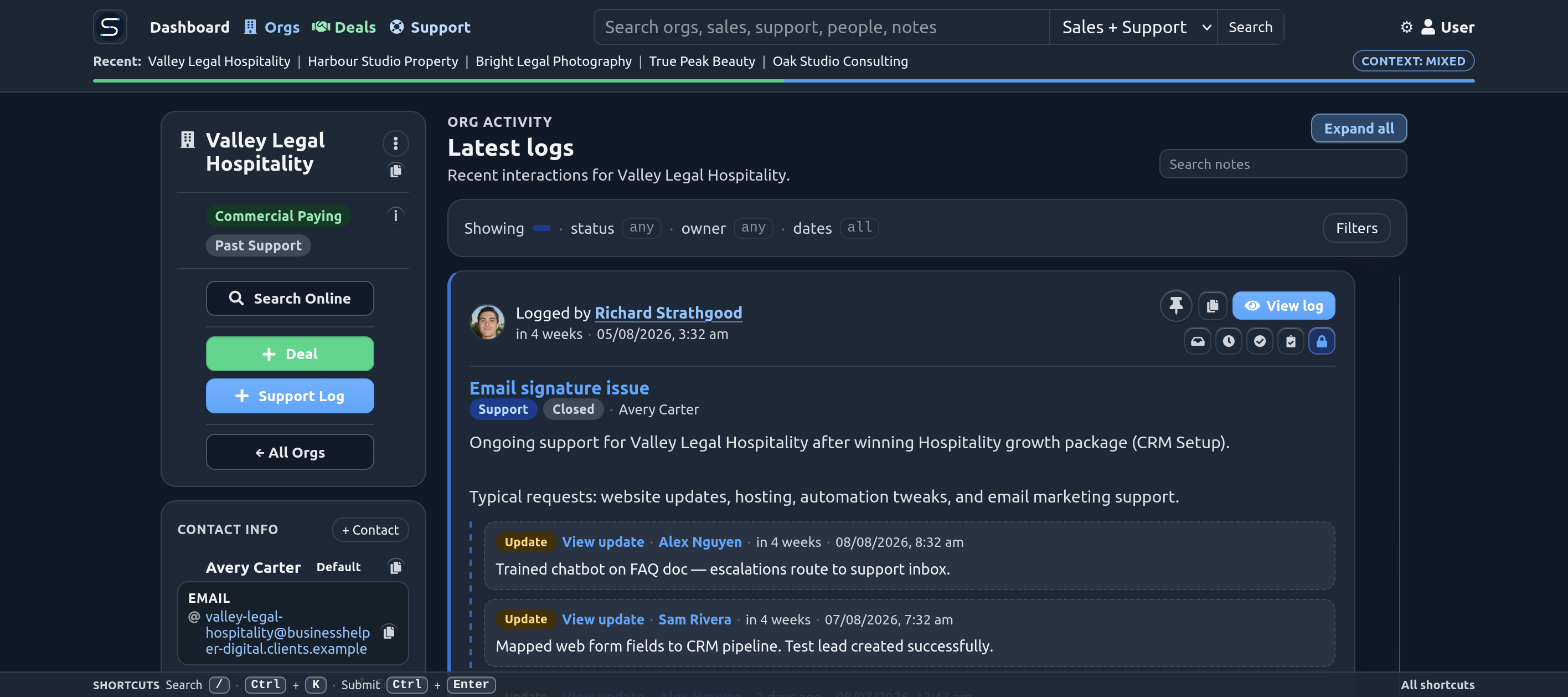
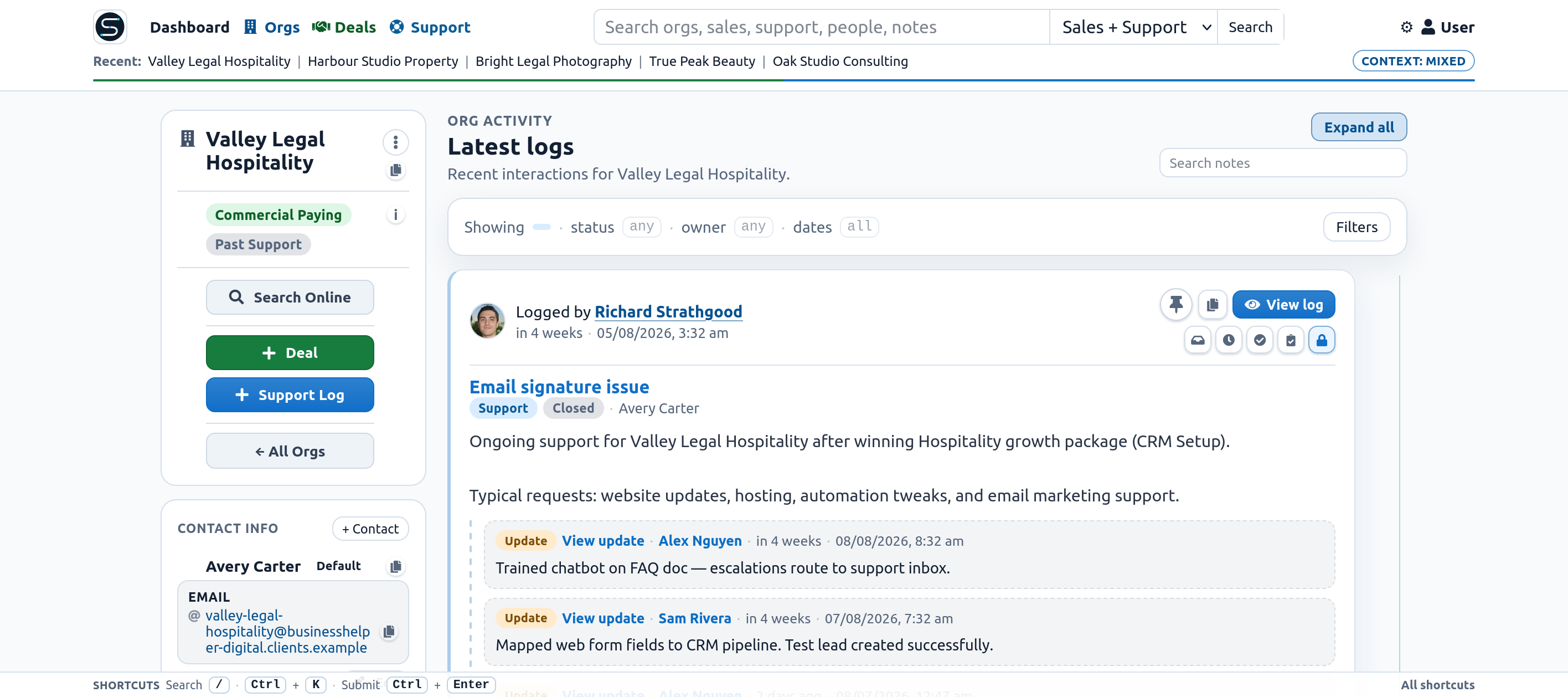
Drag the handle — or use the slider — to peek between light and dark.
Not a feature dump — just the things that help a sales and support team stay on top of customers day to day.
Five stages on one kanban view. Move a card to update status, click for a compact summary, or open the full deal when you need history.
Activity center queues for overdue, today, and upcoming tasks — plus deals going quiet — so follow-ups don’t slip when someone is on leave.
Mark deals won or lost with reasons your team actually uses. Patterns show up fast when the data is easy to log.
BCC your Sloggr address on outbound mail. Tickets create or update automatically — you stay in Gmail or Outlook.
Sending from one support address? Each rep’s signature line tells Sloggr who logged the ticket, so credit and follow-up stay clear.
Sales entries and support tickets on the same timeline. Open an org and see the whole relationship — not two half stories.
Build if/else automations on a canvas. Actions for sales, support, marketing, and webhooks — greyed out until earlier steps provide what they need.
Control who can edit orgs, archive deals, delete tickets, or manage mailing lists — without giving everyone the keys.
New paying customers from Stripe can land in your pipeline automatically, so sales can welcome them before support hears “I just signed up.”
Each ticket carries the thread of updates underneath — who did what, and when — so the next person doesn’t re-ask the customer.
See tickets, updates, deals, and sales activity for today and this week — attributed to the people who own or logged the work.
Sloggr ships a Developer REST API, signed outbound webhooks, and first-party integrations. Technical teams use it with n8n, Zapier, Stripe, Trello, and custom SaaS products. Full capability list →
API keys, scopes (including AI read-only), idempotency, tickets, deals, activity, and analytics. Public docs: /docs/api · OpenAPI.
Subscribe URLs for deal.won, support.ticket.opened, deal.activity.created, and more. Signing guide: /docs/webhooks.
Tickets create cards; list moves and comments sync back to ticket status and support logs.
Billing via Stripe Checkout. New Stripe customers can auto-create orgs and deals in your pipeline.
Log support mail from Gmail or Outlook via BCC. Inbound replies via SendGrid webhook.
No-code rules that fire webhooks or API calls to n8n, Zapier, Make, or your own stack. Pipedrive import wizard for migrations.
Machine-readable for AI assistants: llms.txt · API docs · OpenAPI · llms-full.txt
Build if/else flows on a canvas with sales, support, and marketing actions — then fire webhooks to n8n, Zapier, Make, or your own backend. Won deals and new tickets kick off the next step without a spreadsheet ritual.
No implementation project. Invite the team, log your first deal or ticket, and build the habit from there.
Sign up, name your company, invite sales and support. Everyone shares one account org and customer list.
Log calls and notes in Sloggr. BCC support mail on the way out. Use mailto links on org and deal pages when you want addresses filled in for you.
Every touchpoint stacks on the org page. Handoffs get easier. Renewals and upsells start with context, not “remind me who this is?”
Capture why deals stall with labels your team actually uses — so patterns show up instead of vague “lost” buckets.
Notes, stage moves, and activity in one scrollable thread — so anyone can catch up without hunting chat logs.
Real SaaS companies using one timeline for sales and support — without the tool sprawl.
“SalesLogger has been a breath of fresh air. Everything lives in one place, it works with n8n and Zapier without any fuss, and the real-time Trello sync has saved us so much manual work… It's been a genuine game changer for us.”
Decide who can edit orgs, archive deals, or manage mailing lists — without giving everyone the keys.
Move contacts between lists when the relationship changes — without exporting a CSV and hoping for the best.
Tint sales and support so the timeline tells you which world you’re in before you read a word.
Flat USD pricing whether you’re a team of two or twenty. Same product, same rules, no “contact sales for a quote.”
Billed in USD. Per active user on your workspace. Cancel anytime.
No tiers · No seat minimums · No hidden modules
Plain facts for teams evaluating Sloggr — and for anyone summarizing what we do. Full about page →
A lightweight CRM and shared customer timeline for sales and support teams — drag-and-drop pipeline board plus help desk on one page per org, between spreadsheets and enterprise CRMs.
USD $5 per active user per month after a 14-day free trial. Flat pricing — no tiers, seat minimums, or hidden modules.
Small teams that sell and support customers and need one shared history per org, especially when sales hands off to support (or back again).
Sloggr focuses on logging touchpoints, a pipeline board, and support tickets — not enterprise marketing automation. Teams that find full CRMs too heavy often prefer it.
Yes — REST API v1 (API keys, optional read-only scopes) for tickets, deals, activity, and analytics, plus outbound webhook subscriptions for events like deal.won and support.ticket.opened. Public docs: API · Webhooks · OpenAPI.
Stripe (billing + signup automation), Trello (two-way support sync), SendGrid/BCC email logging, visual automations and webhooks for n8n/Zapier, REST API for external SaaS apps, and Pipedrive import.
BCC your workspace Sloggr address on outbound mail. Tickets create or update automatically while you stay in Gmail or Outlook.
Start a trial, invite a colleague, log one real customer interaction today. You’ll know quickly if Sloggr fits how you work.
Start free trial at app.saleslogger.app